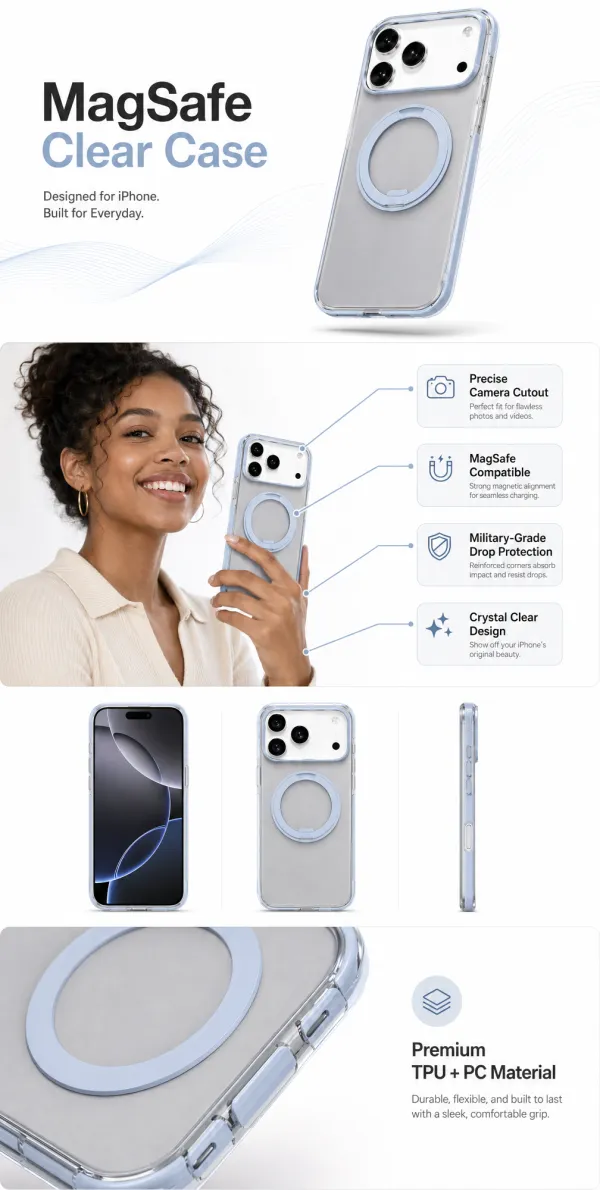
GPT Image 2 x Ecommerce Banners: A Prompt Pack for Product-Real Ads
Most GPT Image 2 ecommerce prompts fail for a simple reason: they ask for a style before they define the job.
An ecommerce banner is not just a pretty image. It needs to keep the product recognizable, make one buying reason obvious, leave room for readable copy, and feel believable enough for a product page, paid ad, or social first frame.
This prompt pack is built for that job.
The Prompt
```text Act as a senior ecommerce art director and conversion-focused ad designer.
Create one finished horizontal ecommerce banner for:
Product: [PRODUCT] Audience: [AUDIENCE] Main buying reason: [ONE REASON] Offer or CTA: [CTA] Brand mood: [MOOD] Aspect ratio: [RATIO]
Use the uploaded product image as the source of truth. Keep the product shape, color, logo, packaging, material, and key details consistent.
Improve the image like a commercial shoot: cleaner lighting, stronger composition, better product presence, realistic shadows, and a background that matches the buyer’s context.
The banner should have:
- one clear headline
- one supporting benefit line
- one CTA area
- enough negative space for copy
- no fake reviews
- no fake badges
- no unreadable tiny text
- no unnecessary decorative clutter
Style direction: [choose one]
- Amazon A+ product infographic
- Shopify hero banner
- TikTok Shop first-frame ad
- Instagram product launch card
- premium brand campaign poster
- clean product detail visual
Make it look ready for a real product page or paid ad. ```
Why It Works
Most AI image prompts describe style: premium, cinematic, modern, luxurious.
Those words can help, but they are not enough for ecommerce. A product banner has responsibilities:
- show the product clearly
- protect product accuracy
- communicate one buying reason
- make copy readable
- fit the target placement
- avoid fake social proof
The prompt above works better because it behaves like a creative brief, not a mood board.
Turn It Into a Repeatable Workflow
In UGCgo, this becomes a simple template workflow:
- Upload the product photo.
- Pick a use case: banner, A+ content, first frame, product detail, launch poster, or UGC-style ad.
- Fill in the product, audience, one buying reason, and CTA.
- Generate four visual directions.
- Keep the version where the product is easiest to understand.
The best test is simple:
If you remove the logo and CTA, can the image still tell what the product is and why someone should care?
If not, the banner is probably just pretty.
Suggested UGCgo Template Assets
- Amazon A+ content template
- Product detail template
- Launch poster template
- UGC ad template
- Brand kit template
Tools are raw material. The prompt is the creative brief. The template is how you make it repeatable.
#ugcgo.app